ClickCaravan

How it works

From first click to paid partner

Six steps, all in the product today, one sale followed to the end, then a tour of the real back office and partner portal.

  • Server-to-server tracking
  • Double-entry ledger
  • Two-approver payouts
Hands on a laptop next to a phone and a coffee

The path of one conversion

  1. Link

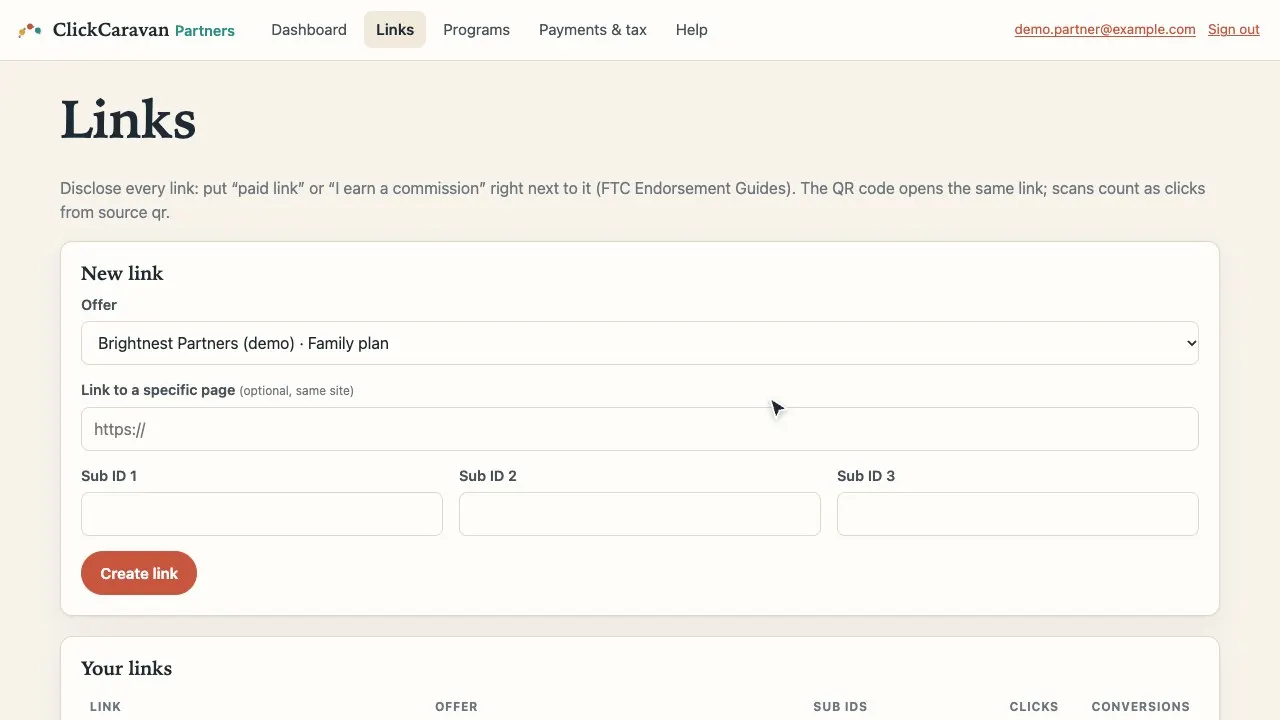
    A partner shares a tracked link, a QR code or a coupon code, with up to three sub IDs.

  2. Click

    The click gets an id your site keeps in a first-party cookie. Bot and prefetch clicks aren’t counted.

  3. Conversion

    Your server reports the sale with the signed API or a postback. The same order never pays twice.

  4. Commission

    The rule in force that day writes ledger lines, held for the program’s hold period.

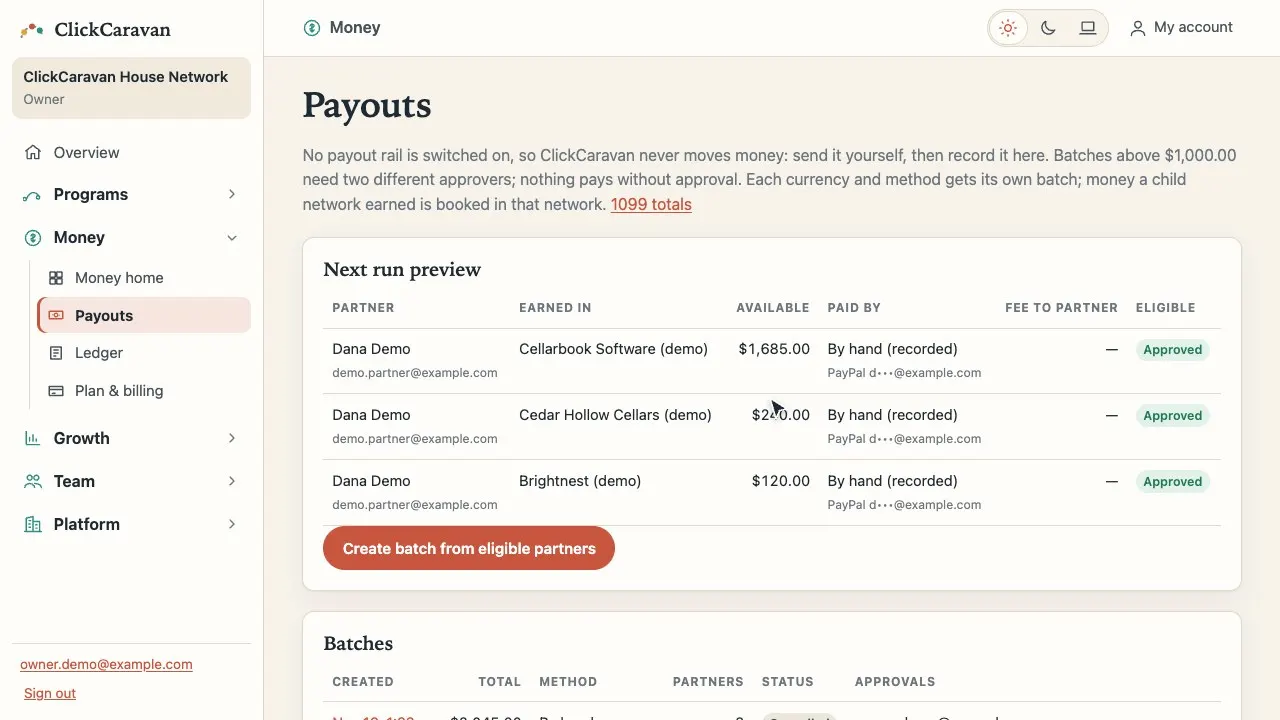
  5. Payout

    A payout run checks minimums and tax forms, takes a second approver above $1,000, and is recorded as paid.

Pending→Approved→Held→Available→Paid

Exits: Rejected (fraud check or your decision) and Reversed (refund or clawback; it comes off the next payout).

Follow the money

One $150 sale, from click to paid partner

An example with a 20% commission in a consumer program (30-day hold). Every step is something the product does today; the numbers are the example’s.

  1. Step 1 of 7

    A partner’s link is clicked

    Dana, a partner, shares her link. A reader taps it and the click gets an id your site keeps in a first-party cookie. Bot and link-preview clicks are stored but never counted.

    Pending$0.00Available$0.00Paid$0.00
  2. Step 2 of 7

    Your checkout reports the sale

    The reader buys. Your server sends the $150 order to the signed Conversion API (or a postback, or the sale carries Dana’s coupon code). Sending the same order again never pays twice.

    Pending$0.00Available$0.00Paid$0.00
  3. Step 3 of 7

    The commission is booked

    The payout rule in force that day pays 20%: $30.00. Two ledger lines put it in Dana’s pending balance, and she sees it in her portal straight away.

    Pending$30.00Available$0.00Paid$0.00
  4. Step 4 of 7

    Approved, then held

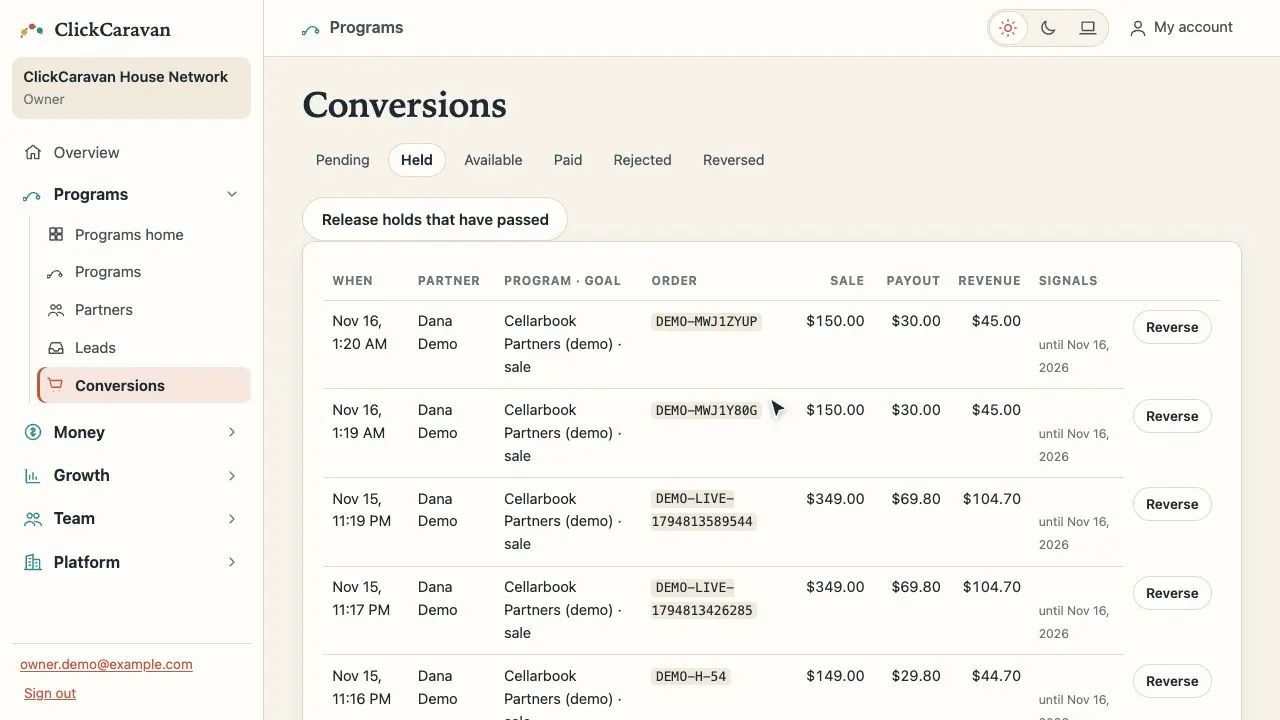
    You approve the sale, or the program approves it automatically. It waits out the 30-day hold, so a refund can still reverse it; a refund after payment comes off her next payout.

    Pending$30.00Available$0.00Paid$0.00
  5. Step 5 of 7

    The hold ends

    When the hold ends, two more lines move the $30.00 to available. Nobody has to remember to do it.

    Pending$0.00Available$30.00Paid$0.00
  6. Step 6 of 7

    The payout run

    The next run checks Dana’s tax form, payout method and the program’s minimum (a balance under it rolls over). A run above $1,000 needs a second approver.

    Pending$0.00Available$30.00Paid$0.00
  7. Step 7 of 7

    Paid, and the books balance

    You send the money, then record the run as paid. Dana’s portal shows $30.00 paid, and the trial balance still comes to $0.00.

    Pending$0.00Available$0.00

Six steps

  1. 1

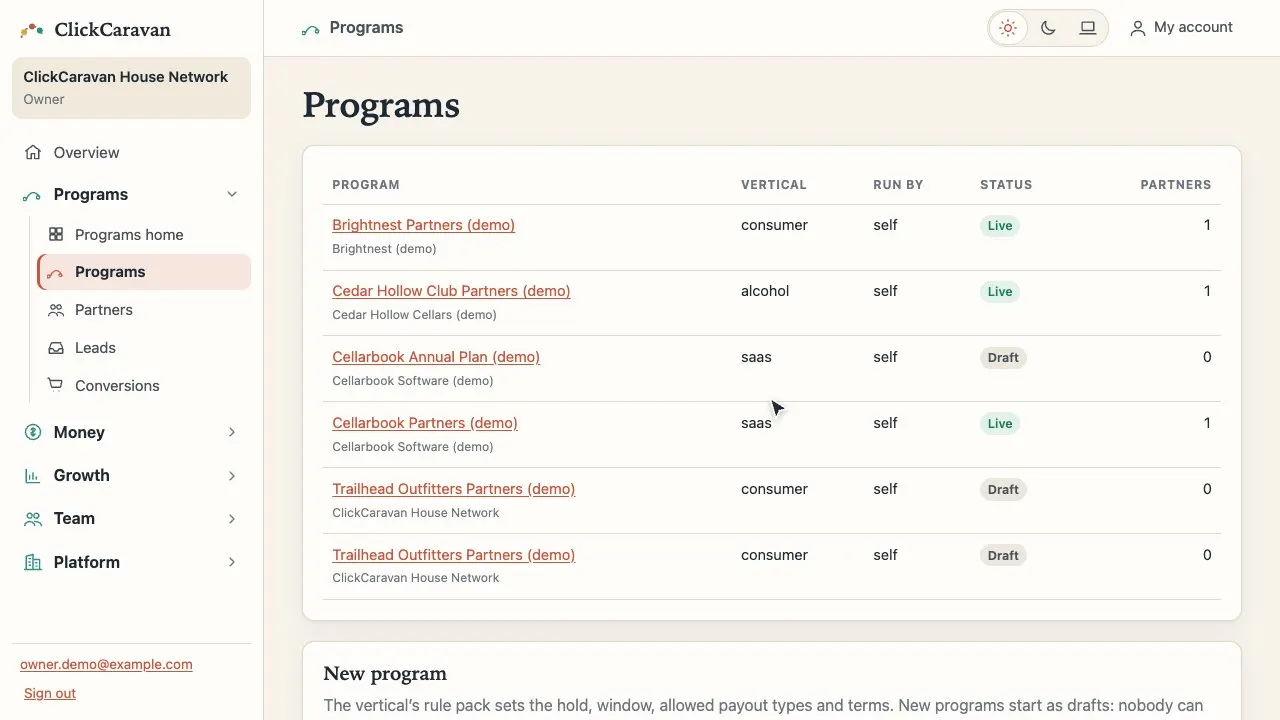
    Create a program

    Pick a vertical. Its rule pack sets the defaults: hold period, referral window and the payout types allowed. An alcohol program starts with flat fees, 21+ partners and a 45-day hold.

  2. 2

    Add offers and payout rules

    Per goal (a sale, a lead, a signup): a flat amount, a percent of the sale, or both. Tiers can raise the rate as a partner sells more, milestones can pay a bonus, and each subscription invoice you report can earn for the months you choose. Rules have start and end dates, so a promotion ends on its own, and past conversions keep the rule they were paid under.

  3. 3

    Partners apply and get links

    Partners join from your program page, accept the versioned terms and make tracked links with sub IDs, deep links to pages on your domain and a QR code each. You can also give a partner coupon codes: a code at checkout credits them without a click.

  4. 4

    Conversions arrive server to server

    Your checkout calls the signed Conversion API or a postback with the click id or coupon. The same order never pays twice, however often it is retried.

  5. 5

    Holds, approvals and reversals

    Pending → approved → held → available → paid. Report a refund and its commission reverses, even after payment; the amount comes off the partner’s next payout.

  6. 6

    Pay out

    A payout run checks minimums, tax forms, payout methods and holds, and needs a second approver above your limit. You send the money from your own bank or payment tool, then record it as paid.

Every number comes from the ledger

A commission is never a field someone edits. It is a set of double-entry lines, and the partner’s pending, available and paid balances are sums of those lines. A refund after payment adds new lines; it never rewrites old ones.

Ledger lines for one $30 commission

Conversion recordedDr Commission expenseCr Partner pending$30.00
Hold endsDr Partner pendingCr Partner available$30.00
Payout recordedDr Partner availableCr Cash$30.00

The software tour

The real back office and partner portal

Screen recordings with invented demo data. The film has captions; each step is also below as a short loop.

The 1 min 43 s tour. Captions on; no sound.
The back office: filling in a new program and opening its draft page
Back office · Programs (demo data)

01

Create a program

Pick a vertical and its rule pack sets the defaults: hold period, referral window and the payout types allowed. A program starts as a draft; nothing tracks until you launch it.

  • Offers and goals (a sale, a lead, a signup)
  • Payout rules with start and end dates
  • Versioned terms partners accept
The back office: the API and thank-you tag, then a $150 sale sent with the signed API appearing in Conversions
API & tracking, then Conversions (demo data)

03

A sale is reported

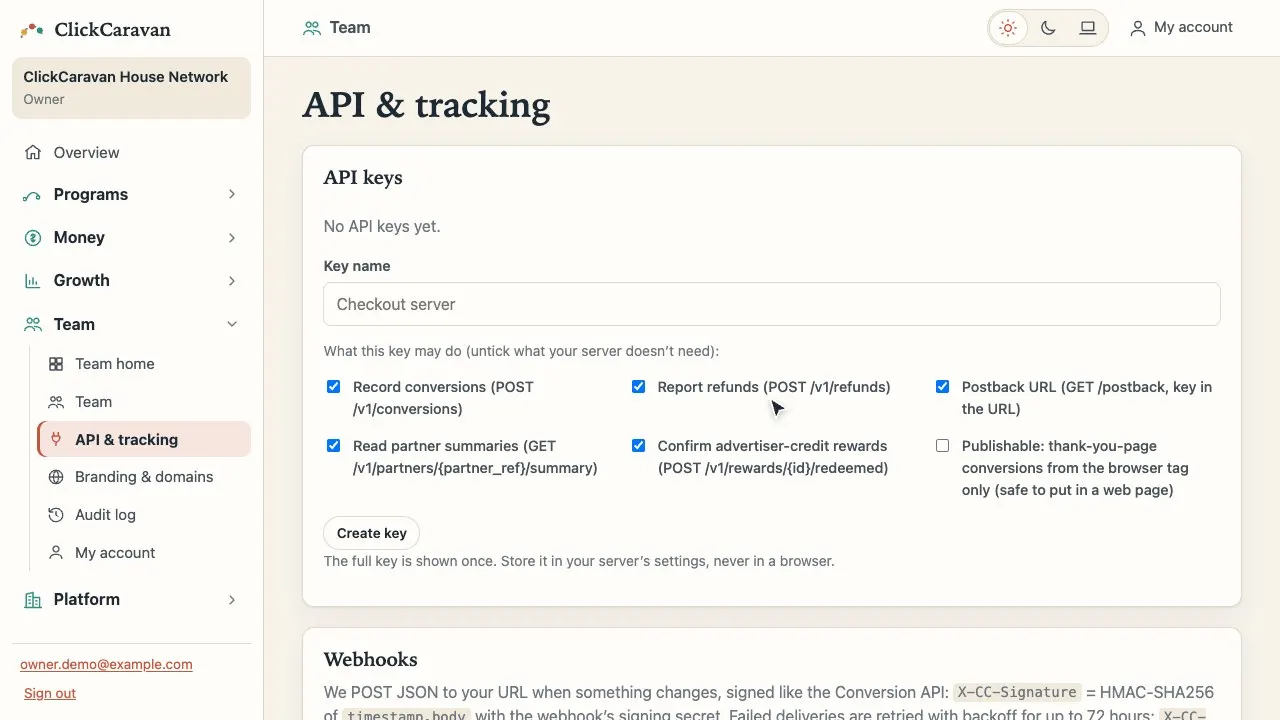
Your server sends the order with a signed request. Within a moment it is in Conversions, credited to the partner’s click, with the partner’s commission and your revenue.

  • Signed Conversion API or a postback
  • Coupon codes credit without a click
  • A thank-you-page tag where it is switched on
The back office: approving a sale, the Held tab, then the ledger
Back office · Conversions and Ledger (demo data)

04

Approve, hold, book

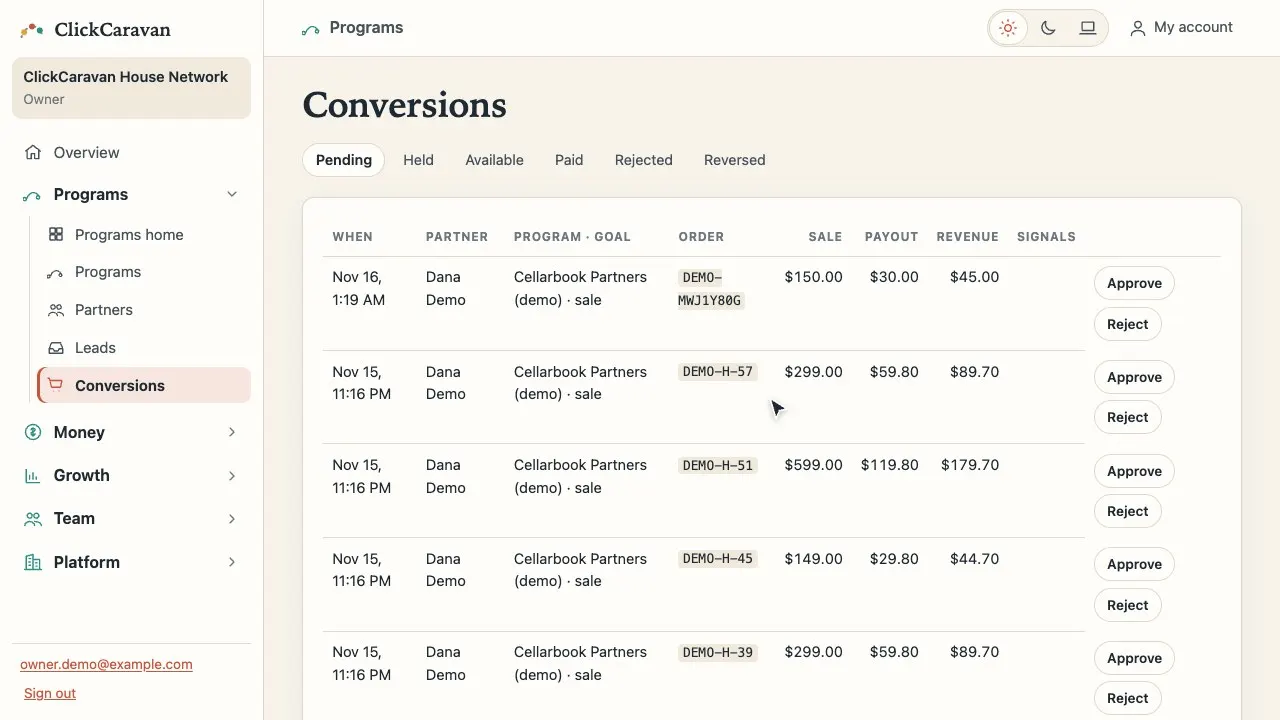
Approve a sale (or let the program approve automatically) and it waits out the hold. Every step is written to the ledger.

  • Pending, held, available, paid
  • Rejected and reversed, with the reason
  • Refunds come off the next payout
The back office: held sales whose hold has ended are released and appear under Available
Back office · Conversions, Held → Available (demo data)

05

Holds end on their own

When a hold ends the money moves to available, checked every 10 minutes, or by hand with one button. (In the recording the demo date was moved forward.)

The back office: a payout run above $1,000 approved by one person, then by a second, then recorded as paid
Back office · Payouts (demo data)

06

Pay out with two approvers

The next run lists every partner with an available balance and says why anyone is left out. Above $1,000 a second person approves. You send the money, then record it as paid.

  • Tax form and payout method checked first
  • Minimum payout per program
  • Two approvers above $1,000
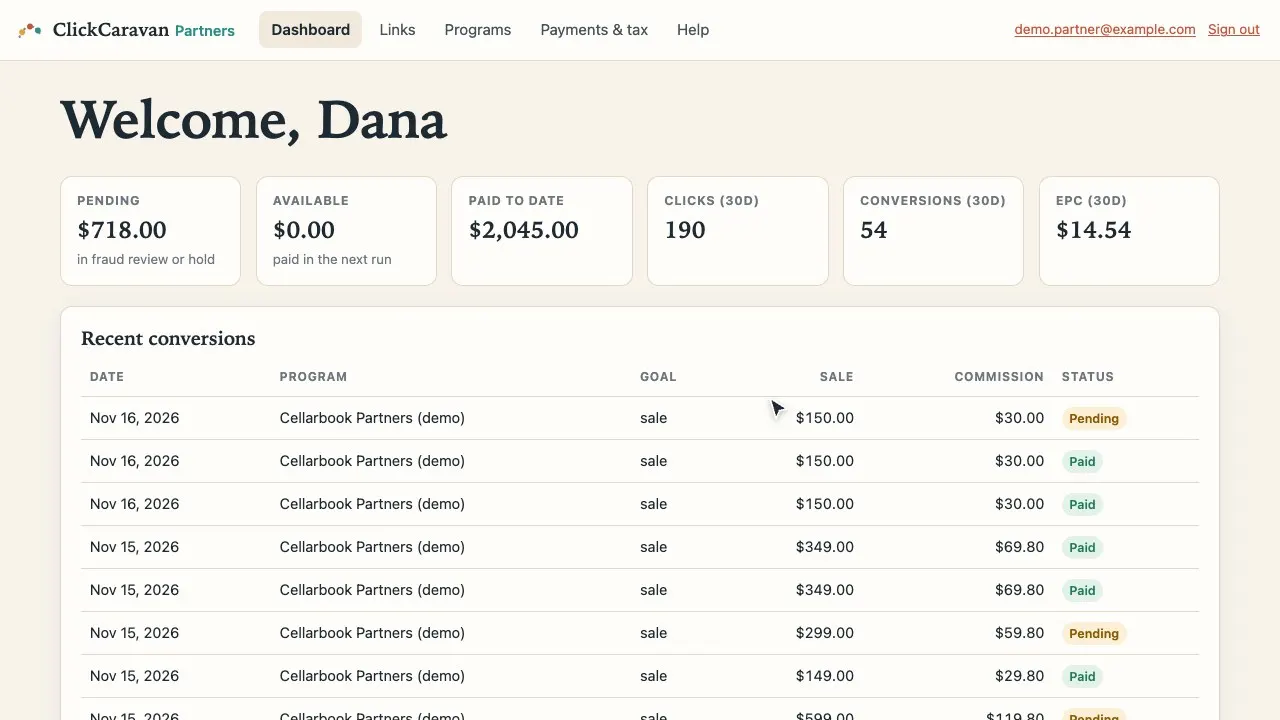
The partner portal: balances, recent conversions, payment method and tax form
Partner portal · Dashboard and Payments (demo data)

07

Partners see every dollar

Pending, available and paid balances, every sale with its commission and status, their tax form and how they get paid.

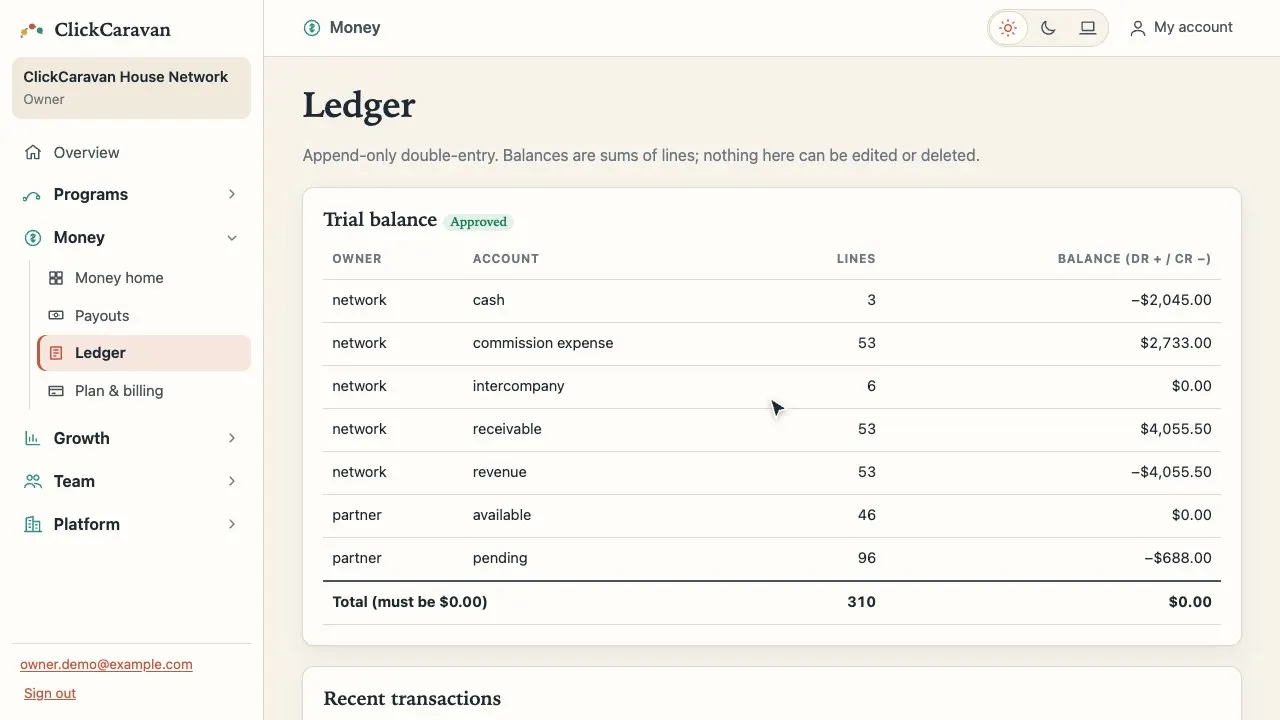
The back office: the ledger trial balance and recent transactions
Back office · Ledger (demo data)

08

Every number is a ledger line

Balances are sums of append-only double-entry lines, and the trial balance must come to $0.00. A refund adds new lines; it never rewrites old ones.

What’s in the product

Built Today

  • Click tracking, sub IDs, deep links, QR codes and coupon codes
  • Signed Conversion API, S2S postbacks and a first-party script
  • Flat, percent, hybrid and per-lead pay; tiers, milestone bonuses and recurring commissions
  • Holds, approvals, refunds and reversals in a double-entry ledger
  • W-9 and W-8 tax forms; payout runs with two approvers
  • Partner portal and marketplace; teams and roles; audit log

On request Built, switched on when you need it

  • Pay per click (CPC) and per 1,000 impressions (CPM), off by default for each program
  • A thank-you-page tag that reports sales without server changes
  • Outbound webhooks to your own systems